
Picture two developers. Same university. Same degree. Same starting point. However, twelve months later, one is shipping features three times faster, catching bugs before they reach production, and getting flagged as a standout performer. The other is still doing things the way they were taught. The only meaningful difference is the tools they chose to use.
As of January 2026, 90% of developers regularly use at least one AI tool at work. Consequently, the gap between those who adopt strategically and those who avoid or misuse these tools is widening fast. This is not hype. It is one of the most consequential skill shifts happening in the UK tech and data industry right now.
Here are the five tools that actually deliver, what the evidence says about each, and the critical mistake most beginners make.
1. GitHub Copilot: The Entry Point Everyone Should Start With
GitHub Copilot remains the most widely adopted AI coding assistant in the world, and for good reason. Research from GitHub suggests developers complete tasks up to 55% faster with Copilot. It integrates directly into VS Code, JetBrains and Neovim. It suggests code completions, generates test cases, explains unfamiliar code and helps debug errors in context, all without leaving your editor.
For beginners, Copilot is the lowest-friction starting point. You install it, you code, and it assists. However, the learning curve is minimal. The productivity gain, however, depends entirely on how critically you evaluate what it produces.
Furthermore, a McKinsey study published in February 2026, surveying over 4,500 developers across 150 enterprises, found that AI coding tools reduce time spent on routine coding tasks by an average of 46%. However, the same study found that bug density in projects with unreviewed AI-generated code was 23% higher than in projects where human oversight was maintained. Ultimately, Copilot amplifies your productivity. It does not replace your judgment. Therefore, review every suggestion before you accept it. No exceptions.
2. Cursor: The IDE Built Around Your Entire Codebase
Take, for instance, a new engineer at a scale-up who used Cursor AI to onboard to a 200,000-line Python codebase in three days instead of three weeks. In this case, Cursor’s codebase-aware suggestions matched existing naming conventions and architecture patterns without any manual briefing from senior developers.
That example illustrates Cursor’s core advantage: it understands your entire project, not just the file you have open. Specifically, its Composer mode allows you to describe complex changes in natural language and watch them execute across multiple files simultaneously. As a result, for analysts working with large data pipelines or developers navigating legacy codebases, that capability is genuinely transformative.
At twenty dollars per month, Cursor’s quality-to-price ratio is considered unbeatable among professional development teams in 2026. Moreover, it integrates with both Anthropic and OpenAI models, giving you the flexibility to switch depending on the task at hand.
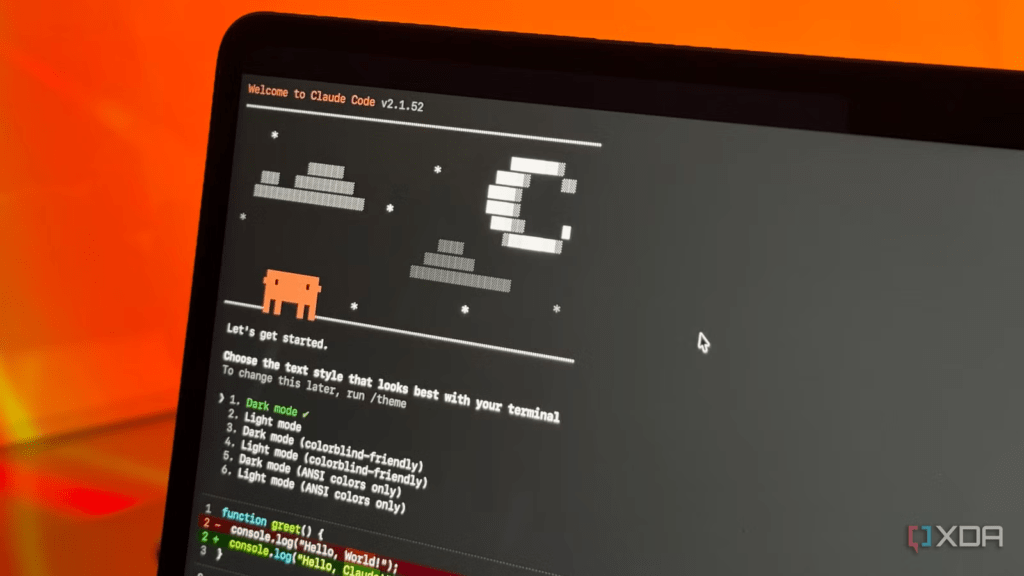
3. Claude Code: The Terminal Agent for Serious Projects
While Cursor excels as an IDE, Claude Code ranks first among AI coding tools in 2026. Powered by Opus 4.6, it scores 80.8% on SWE-bench Verified—the gold standard benchmark for real-world coding performance. This is made possible by a one-million-token context window enabling it to hold an entire codebase in working memory.
Where Copilot and Cursor assist within your workflow, Claude Code operates at a higher level of autonomy. Essentially, it can understand requirements, plan tasks, write code, and assist in testing, making it highly effective for complex, end-to-end workflows. This includes everything from API design to refactoring large codebases and writing production-grade logic with full context awareness.
Unsurprisingly, Claude Code’s adoption grew 6x between April 2025 and January 2026. Not only that, but it carries the highest product loyalty metrics on the market, with a customer satisfaction score of 91% and a net promoter score of 54. Consequently, for any developer working on large-scale or architecture-level tasks, this is the tool the data points to most clearly.
4. Google AI Studio: The Free Frontier Model Playground
However, not every tool on this list requires a monthly subscription. Google AI Studio is completely free at the entry level and gives developers, students and analysts direct access to Google’s Gemini models, including multimodal capabilities covering text, images, audio, video and code in a single browser-based environment.
The practical use cases are substantial. You can feed it lengthy PDFs and watch it extract structured insights in seconds. You can prototype custom chatbots, build internal tools through natural language prompting, and generate and export working code snippets across multiple programming languages, all without managing complex infrastructure. For data analysts specifically, Google AI Studio processes tabular data, runs summarisation tasks and integrates directly with Google Workspace tools like Sheets and Docs.
The honest caveat: the free tier means Google can use your inputs to improve its models. For sensitive or proprietary work, switching to the paid tier or a different tool is worth considering. For experimentation, learning and personal projects, though, the free access to frontier-level AI is an advantage no other platform on this list matches at zero cost.
5. Google Stitch: The Bridge Between “Vibe” and Production
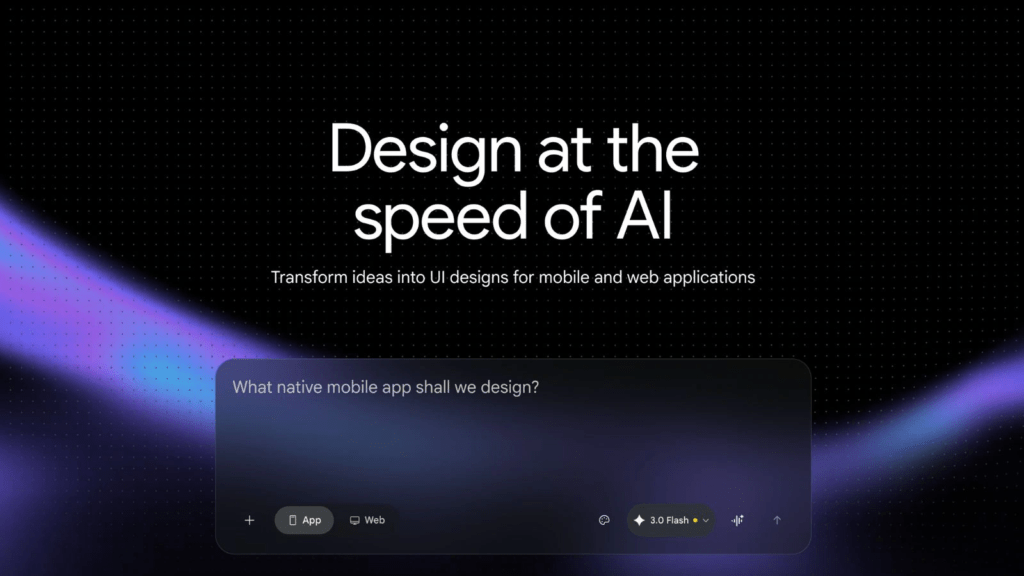
The traditional handoff between design and development is where most projects lose momentum. In 2026, Google Stitch has fundamentally changed this by allowing developers to move from a text prompt or a rough sketch to production-ready code in minutes.
Available at stitch.withgoogle.com, Stitch uses Gemini 3.0 models to generate high-fidelity UI screens and entire user flows. However, for a developer, the “magic” isn’t the pretty layout, it is the Firebase Studio and AI Studio integration. You can export generated designs as structured, functional code in frameworks like Tailwind CSS, Flutter, or SwiftUI.
Instead of hand-coding a CSS grid or wrestling with padding values for a new dashboard, you describe the requirement in Stitch, refine the “vibe” conversationally, and ship the code directly into your environment. It’s basically a frontend accelerator that lets you focus on logic while the AI handles the pixels.
The One Mistake That Kills Your Productivity Gains
Installing every available AI tool creates cognitive overhead that kills the productivity you are trying to gain. Research consistently shows that developers who phase their adoption maintain better oversight of AI-generated output.
Start with one tool. Build habits around it. Understand its failure modes. Then add a second. Most professional developers use two to three tools across their workflow. The developers getting the most out of AI in 2026 are not the ones with the most tools installed. They are the ones with the clearest system.
That gap is already showing up in performance reviews, salary negotiations and job offers across the UK tech sector. Start building your system now.
REAd OUR LATEST ARTICLES HERE:
- Working Hard but Going Nowhere? The Career Trap Millions of Workers May Not Recognise
- NHS and AI: What 44 New Recommendations Could Change for Patients
- Breast Cancer Awareness: Why Early Detection Matters and What You Need to Know
- Why Gillian Anderson’s West End Controversy Matters for Theatre Audiences
- UK Jobs in the AI Era: Why Workers Need to Build New Skills
