
You just bought the fastest smartphone on the market. Yet it still takes three frustrating steps just to move a client file to your laptop while they wait. When choosing between iOS vs Android integration vs specs, it’s easy to get overwhelmed by what matters
iOS vs Android: Why tight system integration delivers a smoother, more consistent experience — even against higher
In the business world, we are often sold the idea that bigger numbers automatically equal better performance. You might purchase a device with 12GB of RAM, assuming it guarantees a flawless workday. Think of RAM as the size of your physical office desk, and your processor as how fast you read. A massive desk allows you to spread out dozens of open folders at once. However, if your filing system is a chaotic mess, a giant desk will not stop you from losing a critical contract when the phone rings. Raw hardware cannot fix a disorganised system.
What truly dictates reliability is software optimisation—how smoothly the operating system talks to the physical phone. Every time you move a PDF from an email to a screen-sharing app, it is a relay race. It doesn’t matter how fast the individual runners are if they fumble the baton during the handoff. This handoff frequently fails. Specifically, this failure is due to the impact of OS fragmentation on custom app development. On these devices, software must guess how to run on hundreds of different phone models. Consider a stressful meeting room presentation:
- High Spec / Low Sync: You tap to share a slide, unoptimised background apps hog your processor, and the screen awkwardly freezes while clients watch.
- Optimised Spec / High Sync: The software is tailor-made to the hardware, passing the data baton instantly so your slide appears effortlessly.
Constantly managing these dropped batons drains your patience and creates real friction. Unchecked background processes cause sudden lag. This makes standard business apps feel unreliable despite powerful hardware. Resolving this friction is crucial for mobile platform scalability for growing companies that cannot afford daily technical delays. When your tools stop fighting for resources and start cooperating perfectly, you unlock a new level of productivity. This seamless integration reclaims valuable hours each month by functioning as an ‘invisible’ assistant.
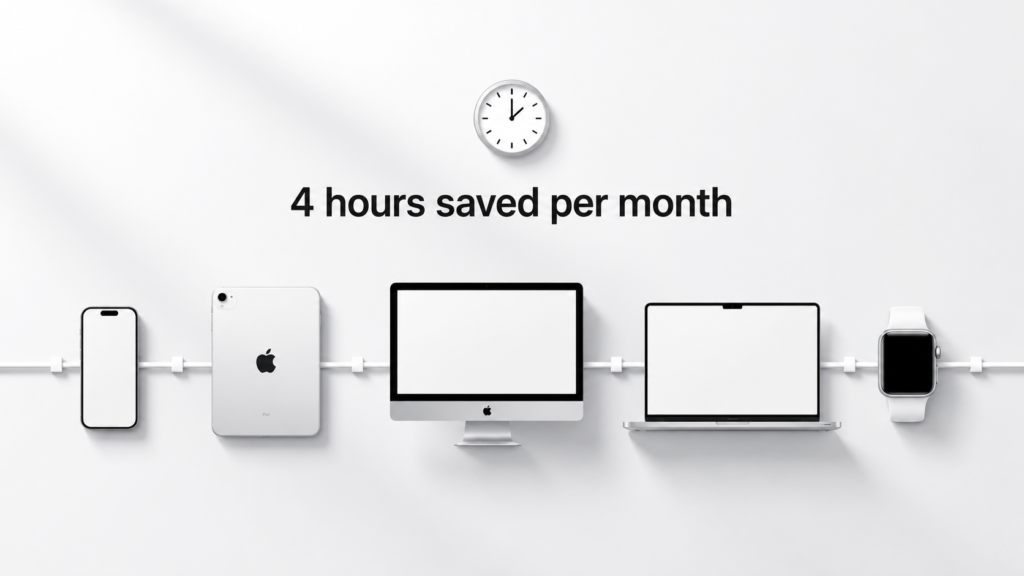
The ‘Invisible’ Assistant: How iOS Ecosystem Synergy Reclaims 4 Hours a Month
iOS works as an invisible assistant: tight hardware‑software synergy across iPhone, Mac, iPad and Watch cuts out small daily delays, adding up to around 4 hours of saved time every month — and this is exactly why system integration beats raw specifications, even with less RAM than many Android devices. You might wonder why copying a link on your iPhone and instantly pasting it on your Mac feels seamless, while doing the same across mixed‑brand devices often requires extra steps.
This smooth interaction happens because Apple operates a “Closed Loop” system, designing both the hardware and software to work together perfectly. By controlling every part of the experience, they avoid the fragmentation that plagues other platforms. This is another clear example that system integration beats raw specifications.
During a typical workday, this unified system creates practical shortcuts: copy a phone number on your laptop and paste it instantly into a text message on your phone. Or, you can use Handoff to pick up work
Android Enterprise: Customisation Outperforms the ‘Walled Garden’
Stepping outside Apple’s predictable environment reveals a world where you dictate the rules.
While tech critics often attack Android for “fragmentation”—having thousands of different phone models running slightly different software—this variety is actually a massive business advantage.
If Apple is a perfectly tailored suit, Android is a custom wardrobe.
This flexibility drives mobile platform scalability for growing companies, allowing you to equip field workers and desk executives with devices uniquely suited to their daily environments. You can do so without leaving the same core operating system.
That hardware variety translates directly into distinct strategic advantages for your tech toolkit. Consider these three scenarios where Android’s physical adaptability outpaces a closed system:
- Specialised Environments: Deploying rugged, drop-proof devices for construction crews.
- Price-Point Scaling: Mixing affordable $200 phones for basic data entry with premium foldables for sales presentations.
- Custom Interface Needs: Locking a device to display only one app, transforming a standard tablet into a dedicated sign-in kiosk.
To solve the “Bring Your Own Device” dilemma across this diverse fleet, Android Enterprise provides an elegant solution. Companies constantly struggle balancing corporate data protection with employee privacy. Android addresses this through “Work Profiles,” a feature that essentially splits the phone’s brain. It creates a secure, isolated container for company tools downloaded via Managed Google Play—your custom corporate app store. IT managers can remotely wipe work data if the device is lost. Yet, they cannot access the employee’s personal photos or texts.
The trade-off for this flexibility involves closer attention to long-term maintenance, especially regarding security patches and software update lifecycles. Because different manufacturers customise the system, updates rarely arrive simultaneously across all brands. You must intentionally choose hardware partners guaranteeing reliable security support. Balancing the need for specialised hardware against the time spent managing updates forces leaders to look beyond the initial price tag to the true total cost of ownership.


Calculating the ‘Frustration Tax’: True Cost of Ownership
Looking strictly at the sticker price of a smartphone is like buying a car based only on the down payment. In the business world, savvy leaders look instead at the total cost of ownership for enterprise mobile devices. This metric calculates not just what you paid at the register, but the ongoing expenses required to keep that tool running over its lifetime. When you choose a mixed fleet of affordable but disconnected devices, the initial savings are often rapidly consumed by a hidden, ongoing expense: the frustration
right before the employee line
Every time an employee stops working to fix a tech issue, your company loses money. This frustration tax is built on three major hidden costs: the minutes wasted trying to email files across incompatible systems, the daily IT support tickets for password resets on different apps, and the constant repurchasing of mismatched accessories. If you want to calculate the true ROI of your mobile strategy, you must measure the value of a perfectly integrated ecosystem against the upfront savings of cheaper, disconnected hardware. That frictionless environment almost always pays for itself by giving your team their time back.
To eliminate this drain on productivity, modern companies apply the rule of standardisation alongside a solid unified endpoint management strategy for small businesses. Think of this strategy like a universal remote control for your entire office. Instead of manually updating software or fixing email sync issues on twenty different phones, your IT manager can push a single update to every device simultaneously. Reducing IT support costs with unified ecosystems happens naturally because standardising your tools means fewer variables break, fewer cables are needed, and employees spend zero time playing amateur IT technician.
Ultimately, making your technology work together seamlessly does more than just protect your bottom line and preserve your team’s sanity. Eliminating the daily friction of mismatched devices creates the foundation for robust, seamless data protection across the
Security Without the Headache: Protecting Data Across the Fleet_
Picture smartphone security, and you probably imagine fingerprint readers or facial recognition. While helpful, these physical barriers cannot block invisible cyber threats. For business owners, real protection relies on a metric that is much less flashy: the software update lifecycle. Buying a phone that loses software support after two years is like installing a heavy-duty commercial alarm system on your office but refusing to ever change the passwords.
Securing remote teams requires balancing high-level safety with everyday convenience. This is where enterprise data encryption comes in. Think of encryption as an invisible, mathematical safe that locks up your files the moment the screen turns off. Powered by strong enterprise device management security features, your IT manager can ensure this safe stays locked even if an employee leaves their phone at an airport café. The goal is to quietly protect company information in the background without making simple tasks harder for your staff.
To keep that invisible shield strong, buyers must prioritise security patches and software update lifecycles across different platforms. Security patches act like digital maintenance crews fixing cracks in your software’s walls; if the manufacturer stops sending the crew, your business is instantly vulnerable. Audit your next platform’s security lifecycle using this quick checklist:
- Lifespan Guarantee: Does the manufacturer guarantee continuous software updates for at least four to five years?
- Delivery Speed: Do those updates arrive on the device immediately, or are they delayed by mobile carriers?
- Remote Capabilities: Can your administrators force critical updates to remote workers automatically?
- Data Separation: Does the operating system securely isolate personal apps from sensitive business files?
Ultimately, a secure network relies on seamless connections. By integrating mobile devices with existing enterprise software, enforcing safety policies becomes an invisible, company-wide standard. With your data locked down and hardware frustrations eliminated, the final decision requires a structured strategy to ensure the right choice for your next mobile fleet.
The Business Verdict: A 3-Step Strategy for Choosing Your Next Mobile Fleet
You no longer have to guess which processor speed will actually improve your workday. By shifting your mindset from spec-chasing to system-building, you can evaluate devices based on how smoothly they communicate with each other. It is no longer about buying raw horsepower; it is about investing in an ecosystem that removes daily friction. This is why system integration beats raw specifications for long‑term productivity. When determining the best mobile operating system for business, apply a straightforward three-question framework to your next purchase. Ask yourself what primary computer you use most often, which collaborative software your team relies on daily, and how many weekly hours you spend troubleshooting tool connections. Your answers will instantly reveal whether the tightly woveniOS vs Android — because system integration beats raw specifications
Use this clarity to outline a twelve-month roadmap for your upcoming technology upgrades. By observing mobile development trends that heavily favour unified workspaces, you can confidently plan purchases so every future device naturally snaps into your existing digital environment rather than fighting against it.
Technology must work tirelessly for you, not the other way around. Mastering cross-device workflow efficiency for remote teams eliminates the invisible hurdles between ideas and execution. A seamlessly integrated toolkit simply gets out of the way, allowing professionals to focus on driving real business results.
